BalkanID recommends creating a separate service account for the purposes of this integration, instead of using personal or employee named accounts.
Access Token - A read-only account access token is required.
Login to an administrator/owner user on your PagerDuty account
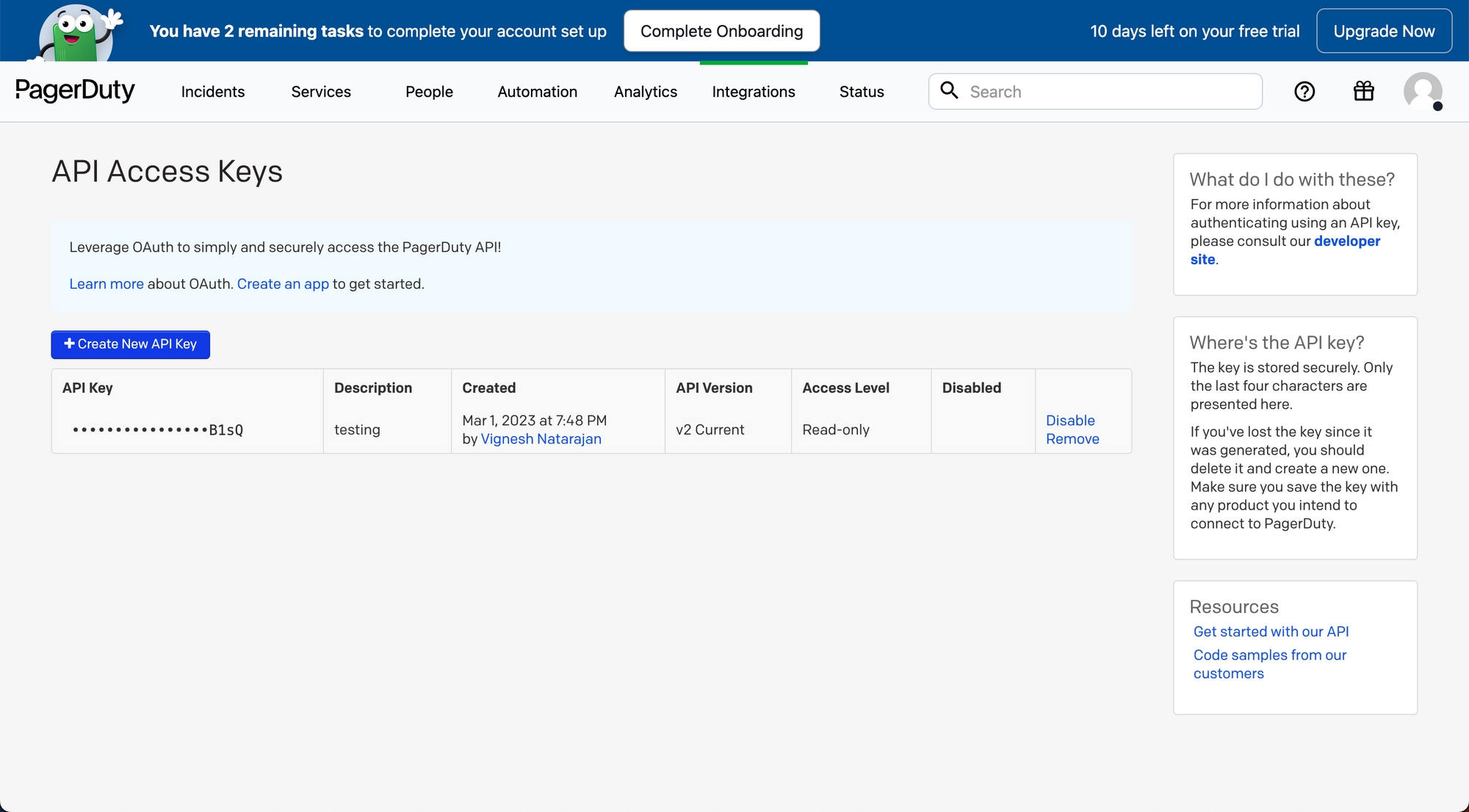
On the navigation bar, go to Integrations > Developer Tools > API Access Keys and click on it, you should see a page like this:
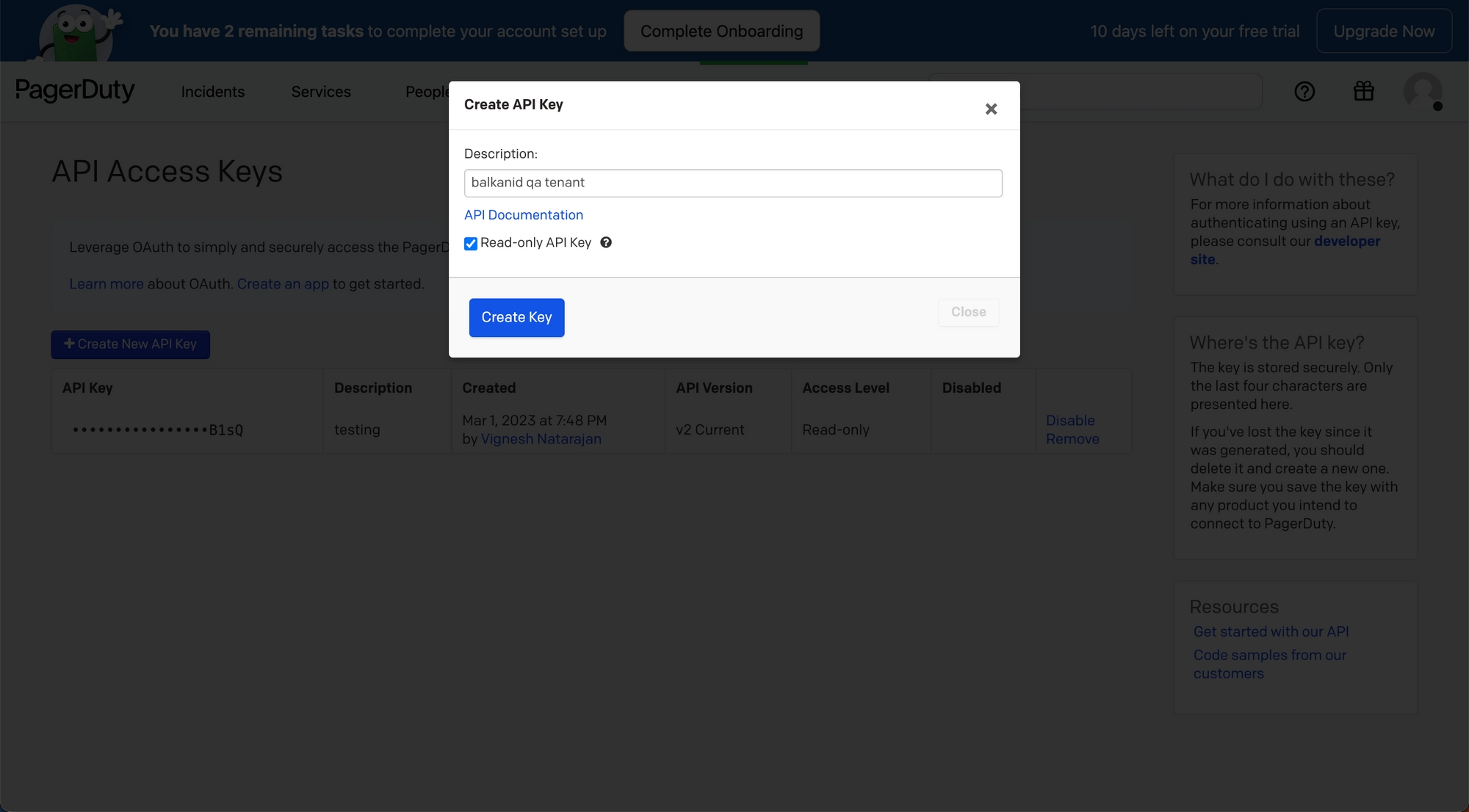
Click on “Create New API Key” and enter a description, make sure to check Read-only API Key.
Login to the BalkanID application and switch to the tenant you would like to add your integration to.
Head to Integrations > Third Party Applications and click Add Integration, select Pagerduty. Set up the Primary Application owner and the Description, if any.
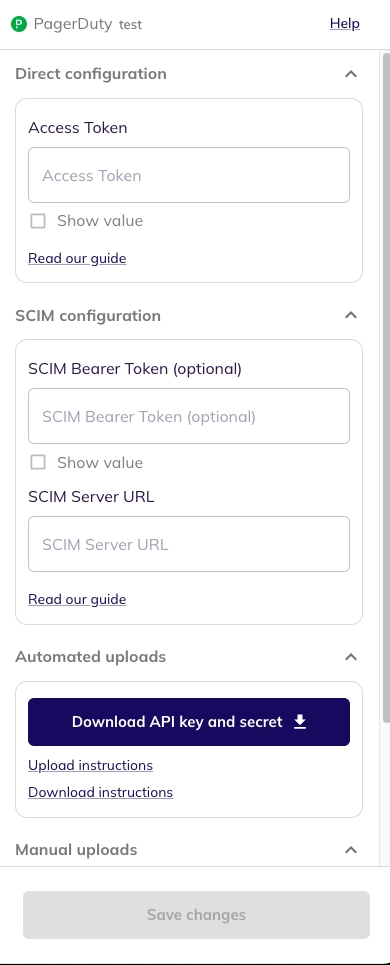
Pagerduty would have been added to the list of applications. Click on the Configure and Integrate button beside the integration name, and configure the fields with the values that were noted prior. It should look like this:
PagerDuty has an internal mapping between the values the API returns and what is displayed on the PagerDuty dashboard. Please refer to the following table for more information.
Once you filled in the information, click Save changes. Your integration is now configured and you will see the status of the integration displayed alongside other integrations on the Integrations page. Integrations are synced daily. When data is available, the integration Status column will read Connected and the integration Message will read Data available.
restricted_access
Account Owner
owner
Title
Value
Global Admin
admin
Full Stakeholder
read_only_user
Limited Stakeholder
read_only_limited_user
Manager/User
user
Responder
limited_user
Observer
observer
Restricted Access