# Outbound Webhooks

{% hint style="info" %}
This feature is currently in Early Access. Contact us if you'd like to have this enabled for your tenant(s).
{% endhint %}

Webhooks are a way for systems to send data to other applications when specific events occur. Instead of polling for updates, the receiving system is automatically notified via an HTTP POST request. Outbound webhooks allow our system to push event data to your endpoints as soon as those events happen.

## BalkanID Outbound Webhooks

You configure destinations to listen for certain BalkanID events (such as user creation or campaign completion). When that event occurs, BalkanID delivers a signed event payload to every matching destination you configured.

Use Webhooks to connect BalkanID with HTTP services, queues, logging systems, and workflow tools.

For manual or workflow-triggered automation, use [Playbooks](/playbooks/playbooks.md).

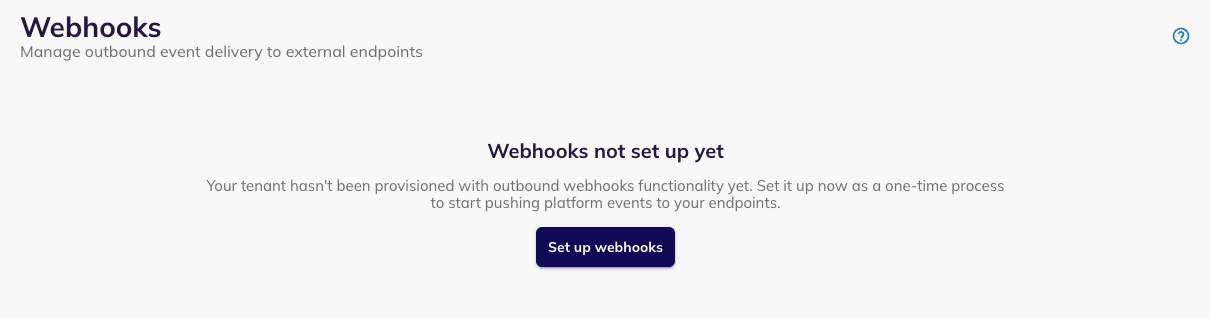
<div data-with-frame="true"><figure><img src="/files/x8SoPZmH7DawfGQJEvZd" alt=""><figcaption><p>The outbound webhooks landing page</p></figcaption></figure></div>

### Quickstart

{% stepper %}
{% step %}

#### Create an endpoint in your app to receive webhook events.

This will be the endpoint that you will configure in a webhook destination on BalkanID, and will receive events as per configuration. You can make use of separate endpoints for different event topics, or a common one for all.

Alternatively, you can make use of a third party (e.g. n8n) to receive events, or configure one of our supported message queues or bucket destinations.

If you're just getting started, services like [ngrok](https://ngrok.com/) have good tools for testing webhooks.
{% endstep %}

{% step %}

#### [Provision webhooks for your BalkanID tenant.](#first-time-setup)

This is a one-time process, and you will not need to repeat it.
{% endstep %}

{% step %}

#### [Create a Webhook Destination on BalkanID](#destinations)

Configure this with a name, subscribed topics that you wish to receive, and destination-type specific configuration and credentials.
{% endstep %}

{% step %}

#### Start receiving event payloads at your endpoint.

See [Events and Deliveries](/playbooks/outbound-webhooks/events-and-deliveries.md) for operational troubleshooting, and [Recipes](/playbooks/outbound-webhooks/webhook-recipes.md) for common automation patterns.
{% endstep %}
{% endstepper %}

### Access and availability

Webhooks is available at **Configure → Webhooks**.

Only tenant administrators can access this feature.

### First-time setup

The first visit requires a one-time provisioning step.

1. Go to **Configure → Webhooks**.
2. Click **Set up Webhooks**.

After provisioning completes (should be near-instantaneous), the full interface loads.

<div data-with-frame="true"><figure><img src="/files/QGQn8LcgHziNdDvYW6uV" alt=""><figcaption><p>You need to provision the outbound webhooks system for your tenant as a one-time process</p></figcaption></figure></div>

### Destinations

In order to start listening for and receiving events, you will have to configure a destination — an endpoint or message queue that receives events. Each destination has a delivery type and one or more topic subscriptions.

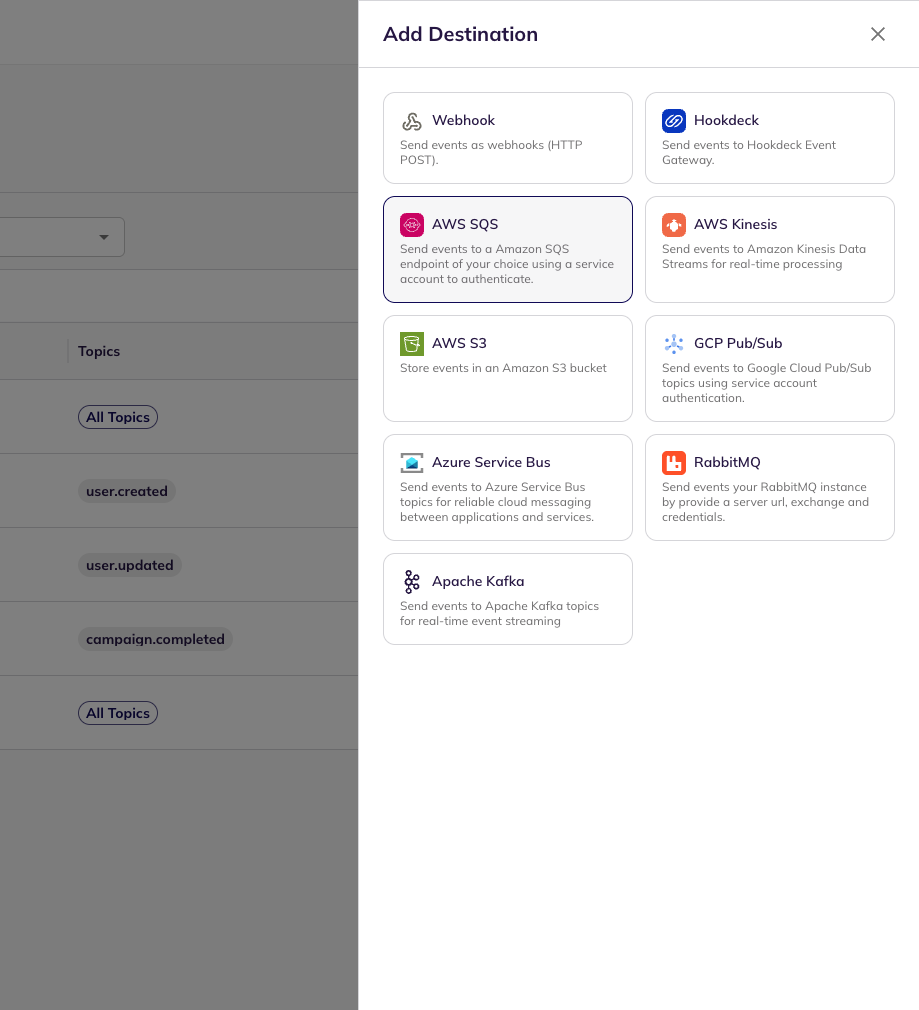
Supported destination types can include HTTP webhooks and queue providers such as AWS SQS, RabbitMQ, and GCP Pub/Sub.

#### Create a destination

Click **Add Destination**.

The setup flow has two steps:

1. **Pick a type**. Choose a delivery type such as **Webhook / HTTP** or a supported queue provider. For general use-cases, the Webhook destination type should suffice.
2. **Configure it**. Enter the destination settings and choose the topics to subscribe to.

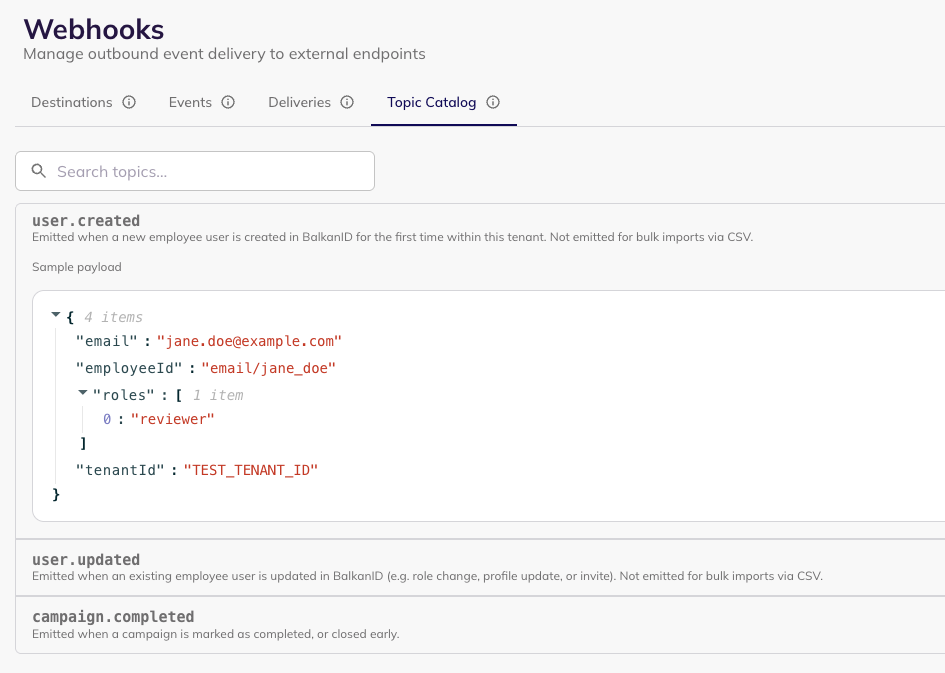
You can subscribe to specific topics or select **All Topics** with `*`. You can see a detailed list of available topics alongside their expected payloads in [#topic-catalog](#topic-catalog "mention") within the app. If you need filtering beyond topic-level, you can define a filter on the event payload.

<details>

<summary>Using the <strong>Event Payload Filter</strong> to filter events further by using their payload.</summary>

You can **optionally** use the Event Filter to filter events by their payload data, in addition to the topic. For instance, while subscribing to `employee.updated`, you might only be interested in updates to employees with role: employee. In such a case, you can define the following filter:

{% code title="reviewer\_only\_event\_filter.json" %}

```json
{
    "data": {
        "roles": [
            "reviewer"
        ]
    }
}
```

{% endcode %}

You can filter on the actual payload data, as well as any metadata such as the time the event was fired.

</details>

For a standard webhook destination, enter the URL that should receive `POST` requests. Common destinations include internal HTTP endpoints, message queues, data pipelines, and third-party tools such as n8n.

Some destination types require an external setup flow first. In that case, use **Set up with \[Provider]** before completing the form.

{% hint style="success" %}
If you use a central logging or monitoring endpoint, subscribe it to **All Topics** with `*`. This captures current and future topics without manual updates. Watch for high-volume topics before using this broadly.
{% endhint %}

<div data-full-width="false"><figure><img src="/files/DoPdyTEnOxmsvs3HRRos" alt=""><figcaption><p>Select a destination type</p></figcaption></figure> <figure><img src="/files/bsEBKxB2WUQYaKRgsYDv" alt=""><figcaption><p>Configure the destination</p></figcaption></figure></div>

#### Test your destination

Use the![scientific test tube](/files/INQfpopmLl2xxn5sy1ev) icon to send a test event to any enabled destination. This will show up in the [Events](/playbooks/outbound-webhooks/events-and-deliveries.md#events) tab, and you should receive it at your endpoint if everything is configured properly. Otherwise, click through to **View Deliveries** for this event to verify whether the [message delivery](/playbooks/outbound-webhooks/events-and-deliveries.md#deliveries) failed, and why.

<div data-with-frame="true"><figure><img src="/files/DMSS4YEqfMZUpt0tYoHL" alt="" width="506"><figcaption><p>Testing a destination using a sample event payload</p></figcaption></figure></div>

#### Manage destinations

The **Destinations** tab lists all configured destinations.

Each row shows the destination type, subscribed topics, delivery URL, and current status.

Use the filters above the table to narrow the list by destination type or topic.

Open a destination to:

* Edit configuration fields
* Update credentials

You can also perform the following actions:

* Enable or disable the destination (a disabled destination will not log or received configured events until you re-enable it).
* Delete the destination permanently.
* **Test the destination** with a sample event and payload.

The destination type cannot change after creation.

#### Receive events

When an event matches a destination subscription, BalkanID attempts delivery to that destination. Each attempt appears in the delivery history with its status, response code, and timestamp. Use the event and delivery logs to inspect payloads, trace failures, and retry failed attempts.

For these operational views and instructions on how to use them for troubleshooting, see [Events and Deliveries](/playbooks/outbound-webhooks/events-and-deliveries.md).

Remember: a destination will receive an event only if:

1. The destination is enabled
2. The event's topic matches one of the destination's subscribed topics (or all topics are subscribed)
3. The event matches the destination's filter (or no filter is defined)

#### Signature verification

{% hint style="info" %}
This is relevant if you are utilising the generic Webhook type destination.
{% endhint %}

This is crucial in order to protect your webhook endpoints from abuse by verifying that the events you receive are in fact sent by us, and not by a bad actor.

The signature is computed over the timestamp and request body:

```
HMAC-SHA256(secret, "${body}")
```

The `x-outpost-signature` header value follows the format: `v0=${signature}`

To verify:

1. Extract the timestamp and signature from the header
2. Compute the expected signature using your secret (to obtain this secret, navigate to the Webhooks > Destinations tab, and click on the webhook endpoint that you want. The secret should be present in the details sidepanel).
3. Compare signatures using a constant-time comparison
4. Optionally reject requests with old timestamps to prevent replay attacks

You can also rotate webhook signing secrets as per your policy.

### Topic Catalog

The **Topic Catalog** tab lists all available event topics.

Use it to browse topics, search by name, and inspect example payloads.

Each topic entry includes:

* Topic name
* Short description
* Sample JSON payload

Use the catalog when choosing subscriptions and validating your payload parsing logic.

Topic coverage can change over time.

<div data-with-frame="true"><figure><img src="/files/J0woEqrQHNHbc0BolcXR" alt=""><figcaption><p>Viewing the topic catalog</p></figcaption></figure></div>

### Data retention

Events and deliveries are retained for 7 days.

These logs support self-service [troubleshooting](/playbooks/outbound-webhooks/events-and-deliveries.md#troubleshooting-flow).

You should not need to monitor them continuously when destinations are healthy.

### Key behaviors

* **Automatic destination disable** — destinations are auto-disabled after repeated consecutive failures to avoid emitting events to a destination that is misconfigured or otherwise unhealthy.
* **All Topics subscription** — `*` includes current and future topics
* **Credential handling** — masked credentials stay unchanged unless you enter a new value
* **Test deliveries** — test runs use sample payload data from the Topic Catalog

## Related pages

* [Events and Deliveries](/playbooks/outbound-webhooks/events-and-deliveries.md)
* [Recipes](/playbooks/outbound-webhooks/webhook-recipes.md)
* [Playbooks](/playbooks/playbooks.md)


---

# Agent Instructions: Querying This Documentation

If you need additional information that is not directly available in this page, you can query the documentation dynamically by asking a question.

Perform an HTTP GET request on the current page URL with the `ask` query parameter:

```
GET https://docs.balkan.id/playbooks/outbound-webhooks.md?ask=<question>
```

The question should be specific, self-contained, and written in natural language.
The response will contain a direct answer to the question and relevant excerpts and sources from the documentation.

Use this mechanism when the answer is not explicitly present in the current page, you need clarification or additional context, or you want to retrieve related documentation sections.