> For the complete documentation index, see [llms.txt](https://docs.balkan.id/llms.txt). Markdown versions of documentation pages are available by appending `.md` to page URLs; this page is available as [Markdown](https://docs.balkan.id/getting-started/setting-up-your-tenant/application-integrations/direct-application-integrations/splunk-integration-setup.md).
# Splunk Integration Setup
### Getting Started
BalkanID recommends creating a separate service account for the purposes of this integration, instead of using personal or employee named accounts.
#### Requirements:
* ***The URL for the API endpoint***
* ***Access Token***
#### Getting the Credentials
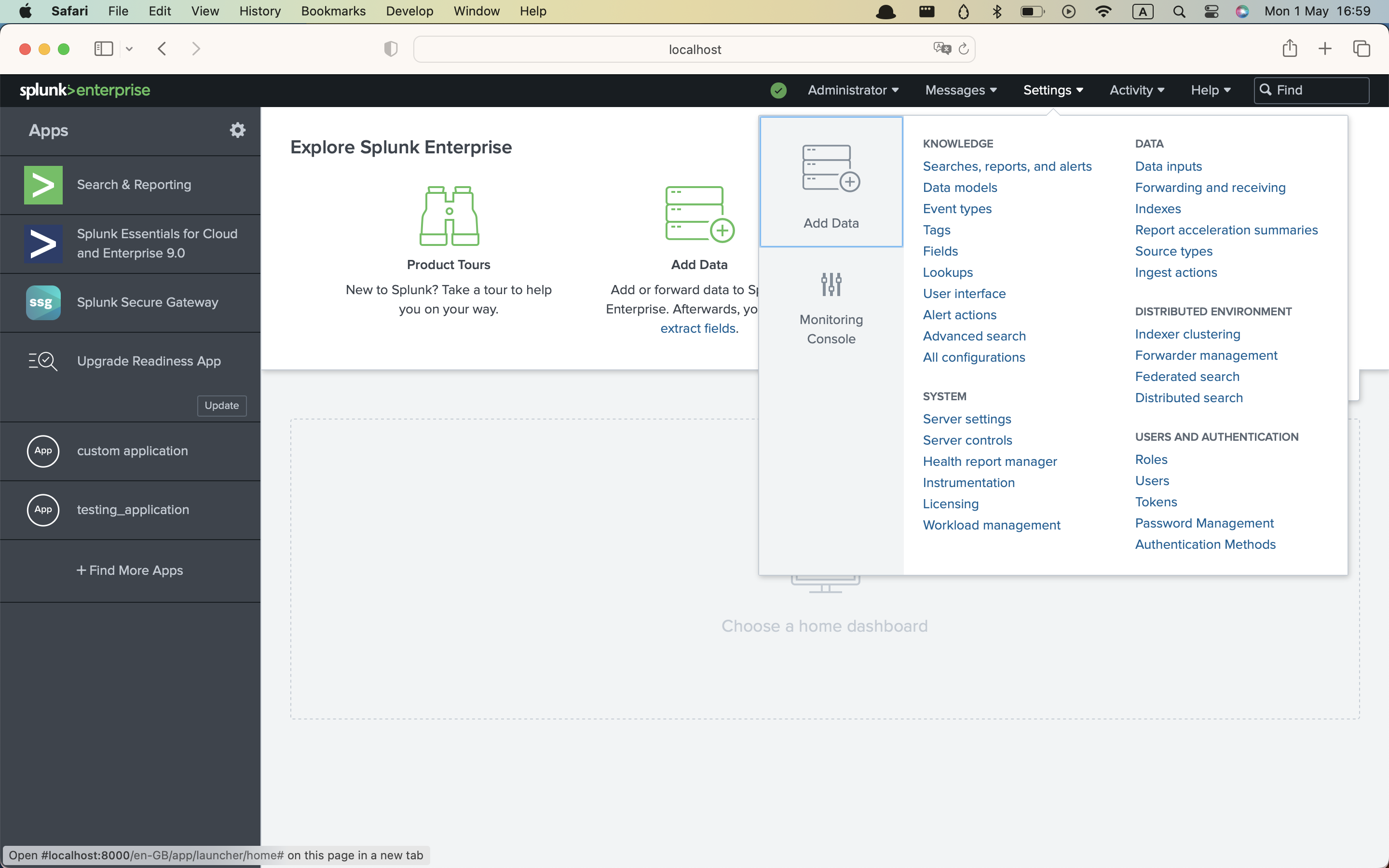
1. On the *Splunk admin* login, navigate to S*ettings*.
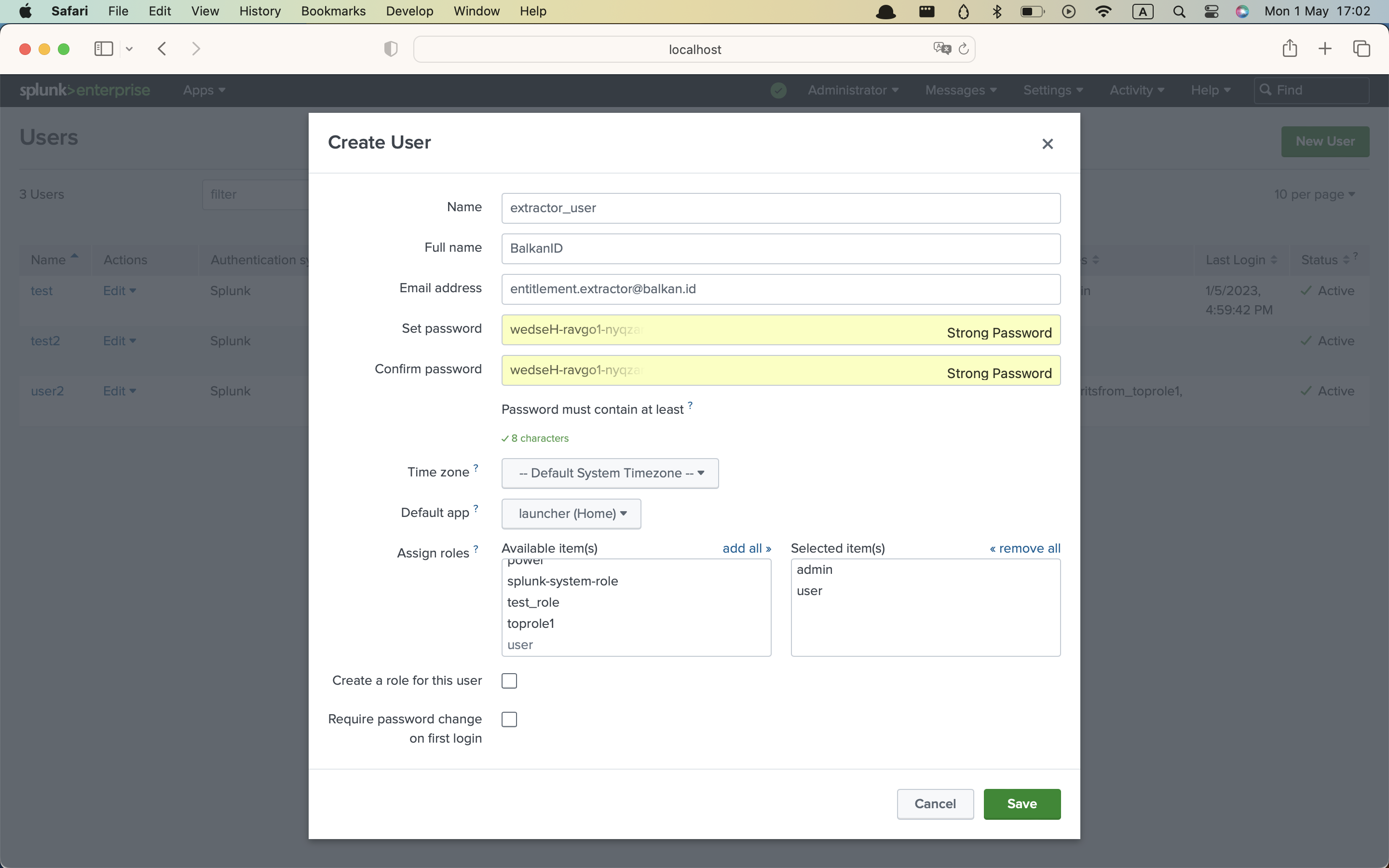
2. Open “**Users**” and create a new user for our extractor, assign them the **admin** role, and click **Save**.
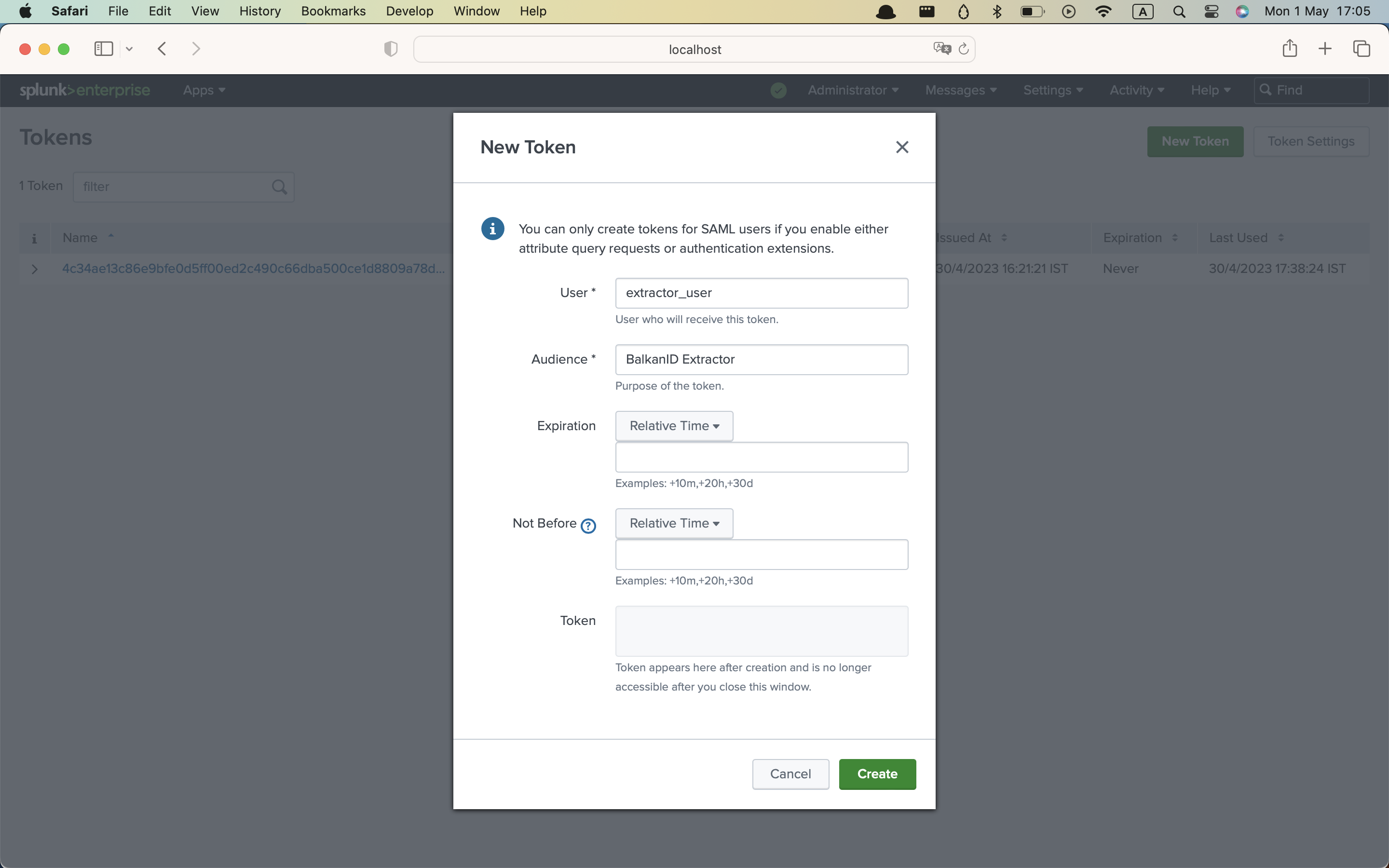
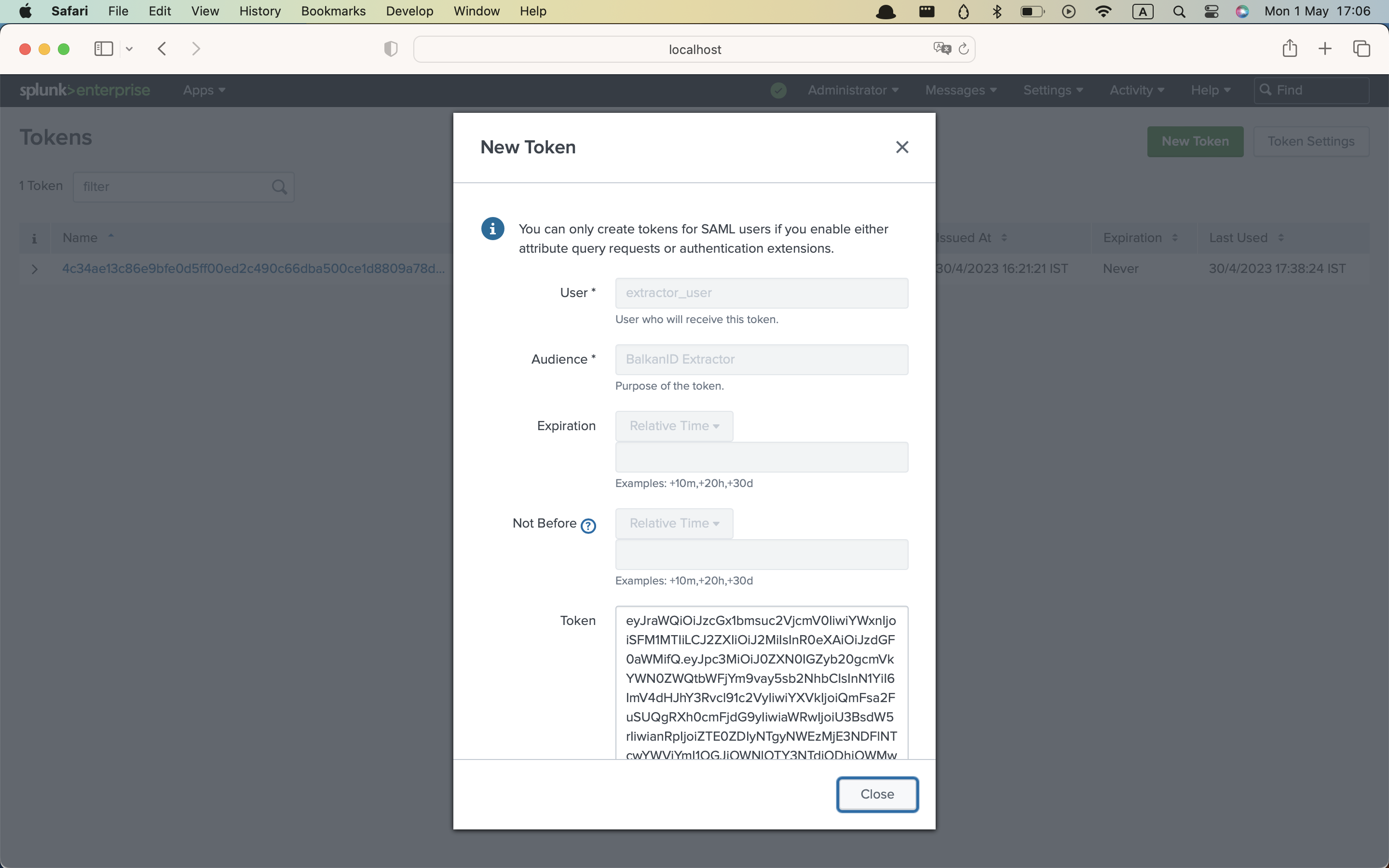
3. Now we will generate an access token for the user. Open *Settings* again, and click on **Tokens** and click on **New Token**. Enter the *username* of the extractor user, and the *audience* and *expiry* (leave it blank to use the default) and click on **Create**. The token will appear in the small box labelled as **Token**. Note the code down and keep it safe.
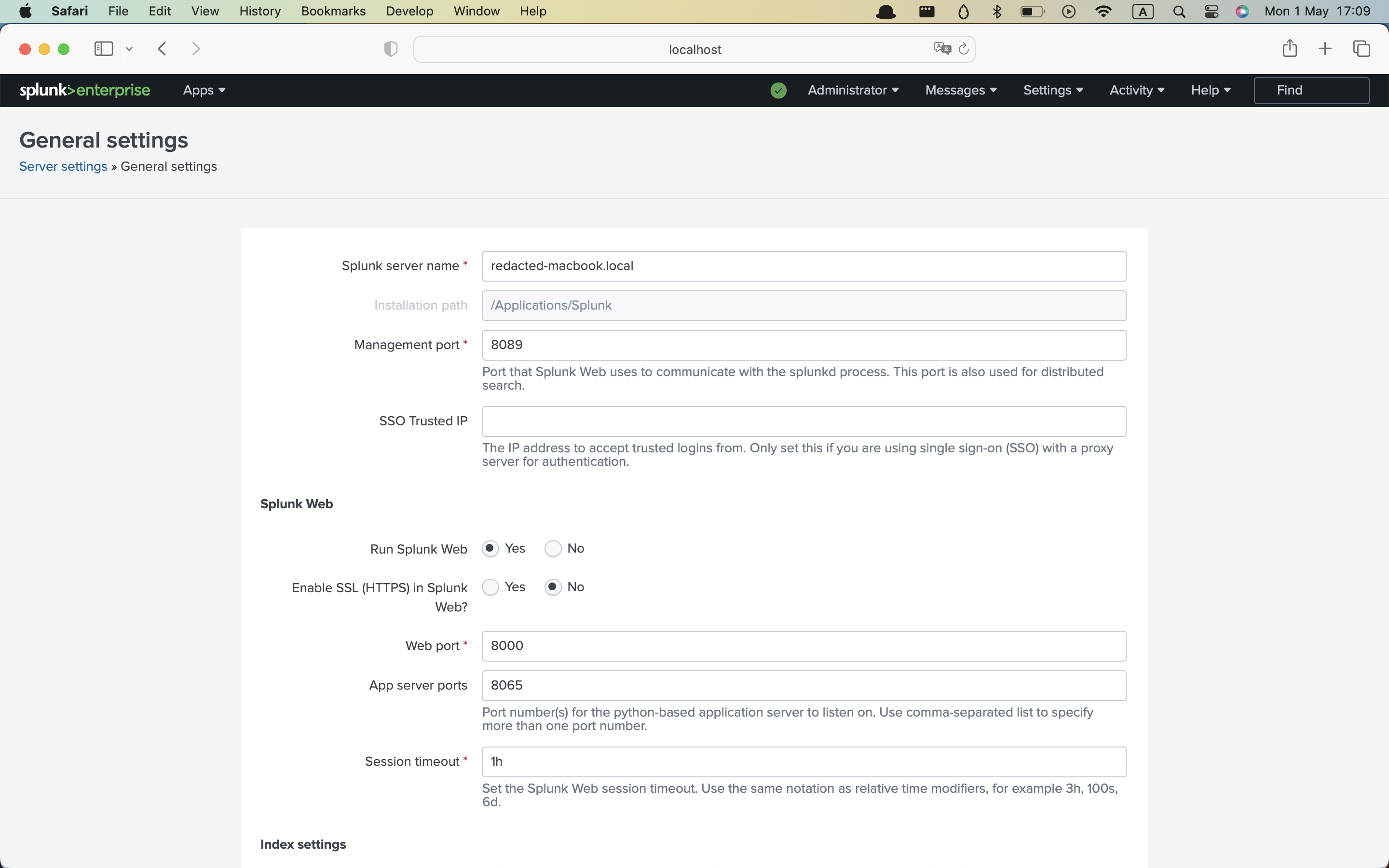
4. Find your Splunk Enterprise deployment’s REST API base URL. Go to *Settings* > *General Settings*. Note down the value of the **management port**. Your API will be located at `[https://[IP_ADDR]:8089]()` if `IP_ADDR` is the IP address of your Splunk deployment.
#### Authorization
* Authorization is via the account access token. It requires the `admin` role for viewing all knowledge objects and their permissions.
### Configuring Splunk within your BalkanID tenant
1. Login to the BalkanID application and switch to the tenant you would like to add your integration to.
2. Head to *Integrations* > *Third Party Applications* and click **Add Integration**, select **Splunk**. Set up the *Primary Application owner* and the *Description*, if any.
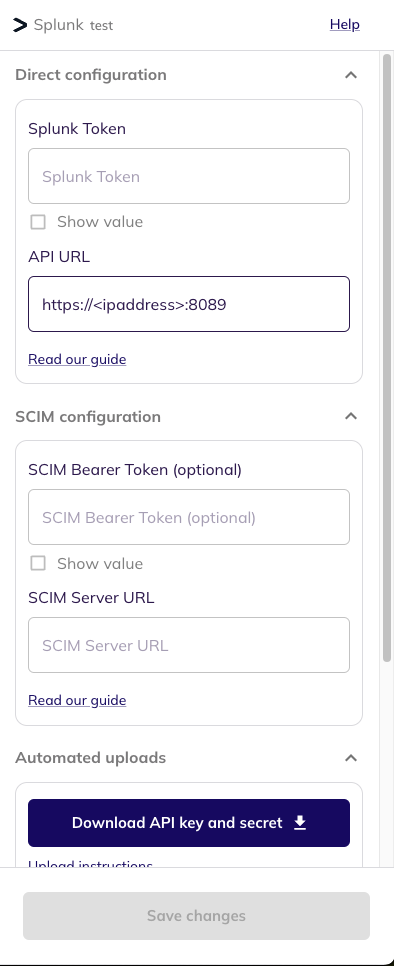
3. *Splunk* would have been added to the list of applications. Click on the **Configure and Integrate** button beside the integration name, and configure the fields with the values that were noted prior. It should look like this:
4. Once you filled in the information, click **Save changes**. Your integration is now configured and you will see the status of the integration displayed alongside other integrations on the *Integrations* page. Integrations are synced daily. When data is available, the integration Status column will read **Connected** and the integration Message will read **Data available**.
---
# Agent Instructions
This documentation is published with GitBook. GitBook is the documentation platform designed so that both humans and AI agents can read, navigate, and reason over technical content effectively. Learn more at gitbook.com.
## Querying This Documentation
If you need additional information that is not directly available in this page, you can query the documentation dynamically by asking a question.
Perform an HTTP GET request on the current page URL with the `ask` query parameter, and the optional `goal` query parameter:
```
GET https://docs.balkan.id/getting-started/setting-up-your-tenant/application-integrations/direct-application-integrations/splunk-integration-setup.md?ask=&goal=
```
`ask` is the immediate question: it should be specific, self-contained, and written in natural language.
`goal` is optional and describes the broader end goal you are ultimately trying to accomplish on behalf of the user. GitBook uses it to tailor the answer towards what is most useful for that goal.
The response will contain a direct answer to the question and relevant excerpts and sources from the documentation.
Use this mechanism when the answer is not explicitly present in the current page, you need clarification or additional context, or you want to retrieve related documentation sections.