> For the complete documentation index, see [llms.txt](https://docs.balkan.id/llms.txt). Markdown versions of documentation pages are available by appending `.md` to page URLs; this page is available as [Markdown](https://docs.balkan.id/getting-started/setting-up-your-tenant/application-integrations/direct-application-integrations/doppler-integration-setup.md).
# Doppler Integration Setup
### Getting Started
Use this guide to connect Doppler to your BalkanID tenant. You will need a Service Account Token from Doppler and access to the Integrations section in BalkanID.
#### Requirements:
Before you begin, collect the following value from Doppler:
* **Service Account Token**
### Configure Doppler within your BalkanID tenant
1. In Doppler, sign in and go to your **Team** settings, then open the **Service Accounts** tab.
2. Create a new Service Account (or use an existing one) and assign it the role described in [Integration Scopes](#integration-scopes) below.
3. Open the Service Account's detail page and click **Generate Token**. Copy the token value — Doppler only shows it once.
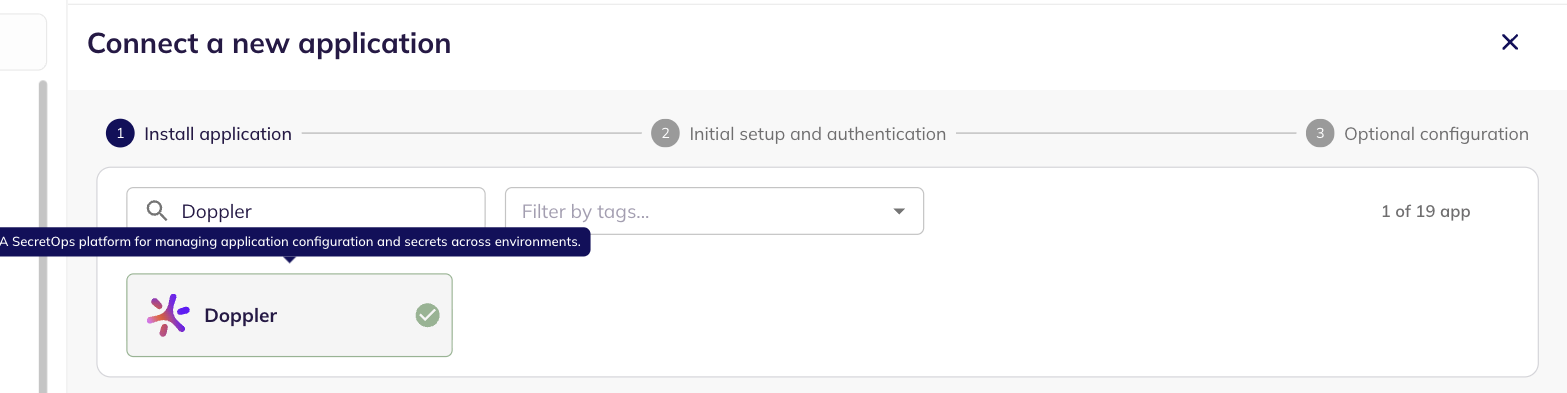
4. In BalkanID, head to **Integrations** > **Add Integration**, then select **Doppler**.
Add Integration
Connect a new application — Doppler selected
5. Set up the *Primary Application owner (mandatory)* and the *Description*, if any. Select **Direct Configuration** as the extraction type, then paste your Service Account Token into the **Service Account Token** field.
Direct Configuration — Service Account Token
6. Click **Next** to move onto Optional Configuration.
7. Fill **Optional Configuration**, if required.
Optional Configuration
8. Once you have filled in the information, click **Save**. Your integration is now configured and you will see the status of the integration displayed alongside other integrations on the Integrations page. When data is available, the integration Status column will read **Connected** and the integration Message will read **Data available**.
### Integration Scopes
| Scope | Why it's needed | Required / Optional |
| ---------------------------------------------------------------------- | ------------------------------------------------------------------------------------------------------------------------------------------ | --------------------------------------------------- |
| **Workplace role: Owner or Admin** | Automatic access to every Project and Environment, plus the workplace-wide visibility below, without granting each permission individually | Recommended |
| **Workplace: View Team** | Lists all Users and Groups | Required (if not Owner/Admin) |
| **Workplace: View Service Accounts / View Service Account Identities** | Lists all Service Accounts | Required (if not Owner/Admin) |
| **Workplace: View Service Account API Tokens** | Lists Service Account Tokens | Required (if not Owner/Admin) |
| **Workplace: Manage Custom Roles** | Lets BalkanID read the definitions of custom Workplace or Project roles | Optional — only if your workplace uses custom roles |
| **Project: List All Environments** | Enumerates every Environment in the project | Required (if not Owner/Admin) |
| **Project: Access All Configs** | Enumerates every Config across every environment | Required (if not Owner/Admin) |
| **Project: View Secrets** | Reads secret names only — BalkanID never requests secret values | Required (if not Owner/Admin) |
| **Project: View Config Logs** | Powers secret staleness insights | Required (if not Owner/Admin) |
| **Project: Manage Service Tokens** | Lists a config's existing Service Tokens; Doppler has no read-only variant of this permission | Required (if not Owner/Admin) |
{% hint style="warning" %}
If you use a custom Project role instead of Owner/Admin, it must include **List All Environments** — a role scoped to only some environments produces an incomplete graph for that project.
{% endhint %}
{% hint style="info" %}
If the Service Account is missing a workplace-level permission (e.g. Service Accounts, Groups), BalkanID logs and skips just that entity type rather than failing the whole sync — but the resulting graph will be missing that data.
{% endhint %}
---
# Agent Instructions
This documentation is published with GitBook. GitBook is the documentation platform designed so that both humans and AI agents can read, navigate, and reason over technical content effectively. Learn more at gitbook.com.
## Querying This Documentation
If you need additional information that is not directly available in this page, you can query the documentation by asking a question.
Perform an HTTP GET request on the following URL with the `ask` and `goal` query parameters:
```
GET https://docs.balkan.id/getting-started/setting-up-your-tenant/application-integrations/direct-application-integrations/doppler-integration-setup.md?ask=&goal=
```
`ask` is the immediate question: it should be specific, self-contained, and written in natural language.
`goal` is what the user is ultimately trying to achieve, the reason they need the answer. Sharing it helps GitBook give you a better, more relevant answer. A goal is most helpful when it describes the outcome the user wants rather than restating the question. For example, with `ask=how do I create an API token`, a goal like `automate deployments from our CI pipeline` lets GitBook tailor the answer to that use case.
The response will contain a direct answer to the question and relevant excerpts and sources from the documentation.
Use this mechanism when the answer is not explicitly present in the current page, you need clarification or additional context, or you want to retrieve related documentation sections.