> For the complete documentation index, see [llms.txt](https://docs.balkan.id/llms.txt). Markdown versions of documentation pages are available by appending `.md` to page URLs; this page is available as [Markdown](https://docs.balkan.id/getting-started/setting-up-your-tenant/application-integrations/direct-application-integrations/bill-integration-setup.md).
# BILL Integration Setup
### Getting Started
Use this guide to connect BILL to your BalkanID tenant. You will need credentials from your BILL account and access to the Integrations section in BalkanID.
#### Requirements:
Before you begin, collect the following values from BILL:
* **Developer Key**
* **Username**
* **Password**
* **Organization ID**
{% hint style="info" %}
Generate the developer key from a BILL user that holds the **Administrator** role. BILL returns only the records the signed-in user is permitted to see, so a more limited role produces a sync that completes successfully while omitting users and funding accounts.
{% endhint %}
### Configure BILL within your BalkanID tenant
1. To find your **Developer Key** and **Organization ID**, sign in to your BILL account.
2. Navigate to **Settings** > **Sync & Integrations** > **Manage Developer Keys**.
3. Click **Generate developer key**, then review and accept the developer terms of service. BILL takes up to a minute to generate the key, so click **Reload page** to display it. You can hold up to four developer keys at a time.
4. Copy the generated developer key. Your **Organization ID** is displayed at the bottom of the same page and begins with `008`.
5. Your **Username** and **Password** are the email address and password used to sign in to this BILL account.
6. In BalkanID, go to **Integrations** and click **Add integration**.
Add integration
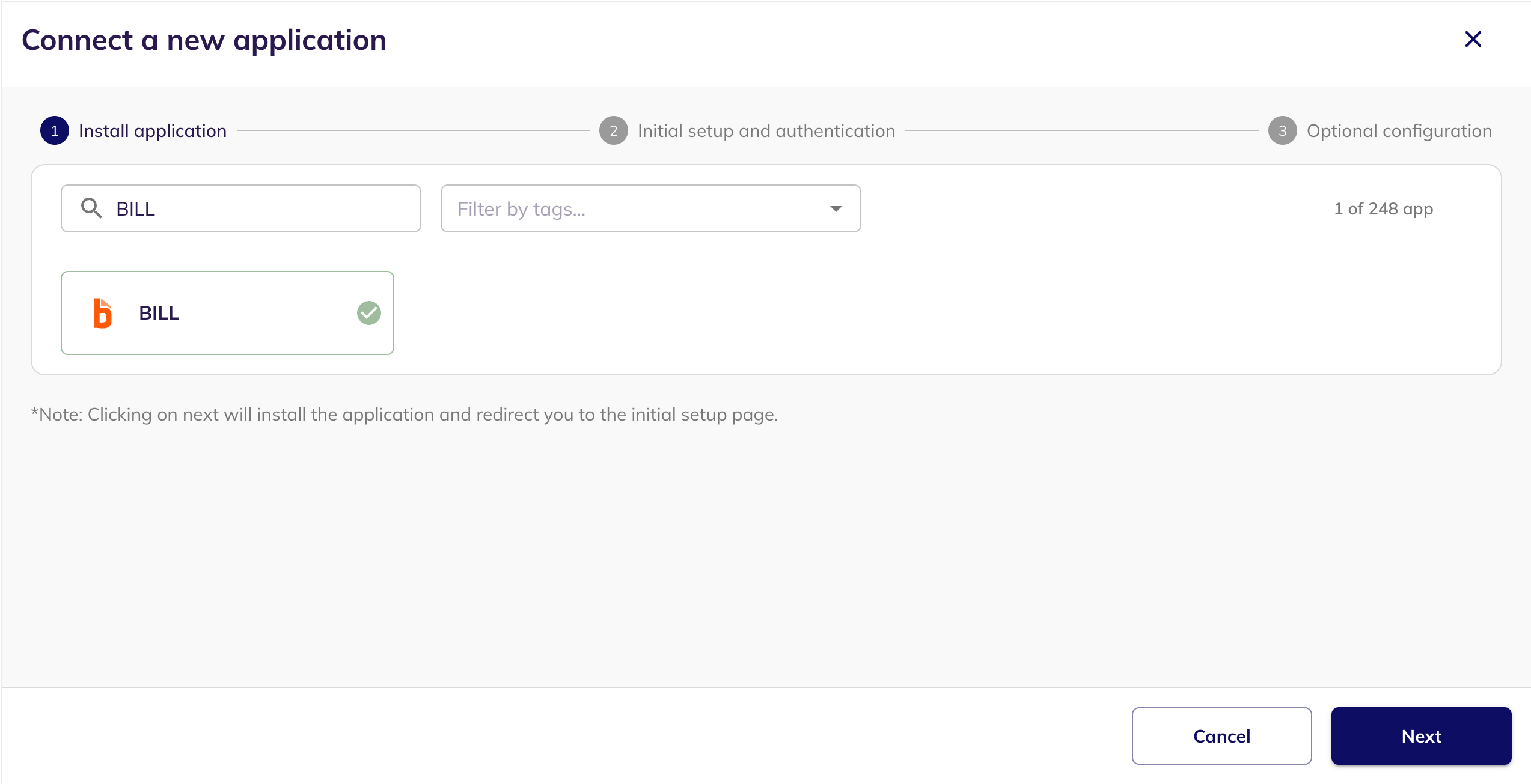
7. Search for **BILL**, select it, and click **Next**.
Connect a new application
8. Set the **Primary application owner** and, optionally, a **Description** and **Secondary application owner(s)**.
9. Under **Data Sync Preferences**, select the data you want BalkanID to sync from BILL. Users are always synced. Roles, bank accounts and card accounts can each be deselected if you do not need them.
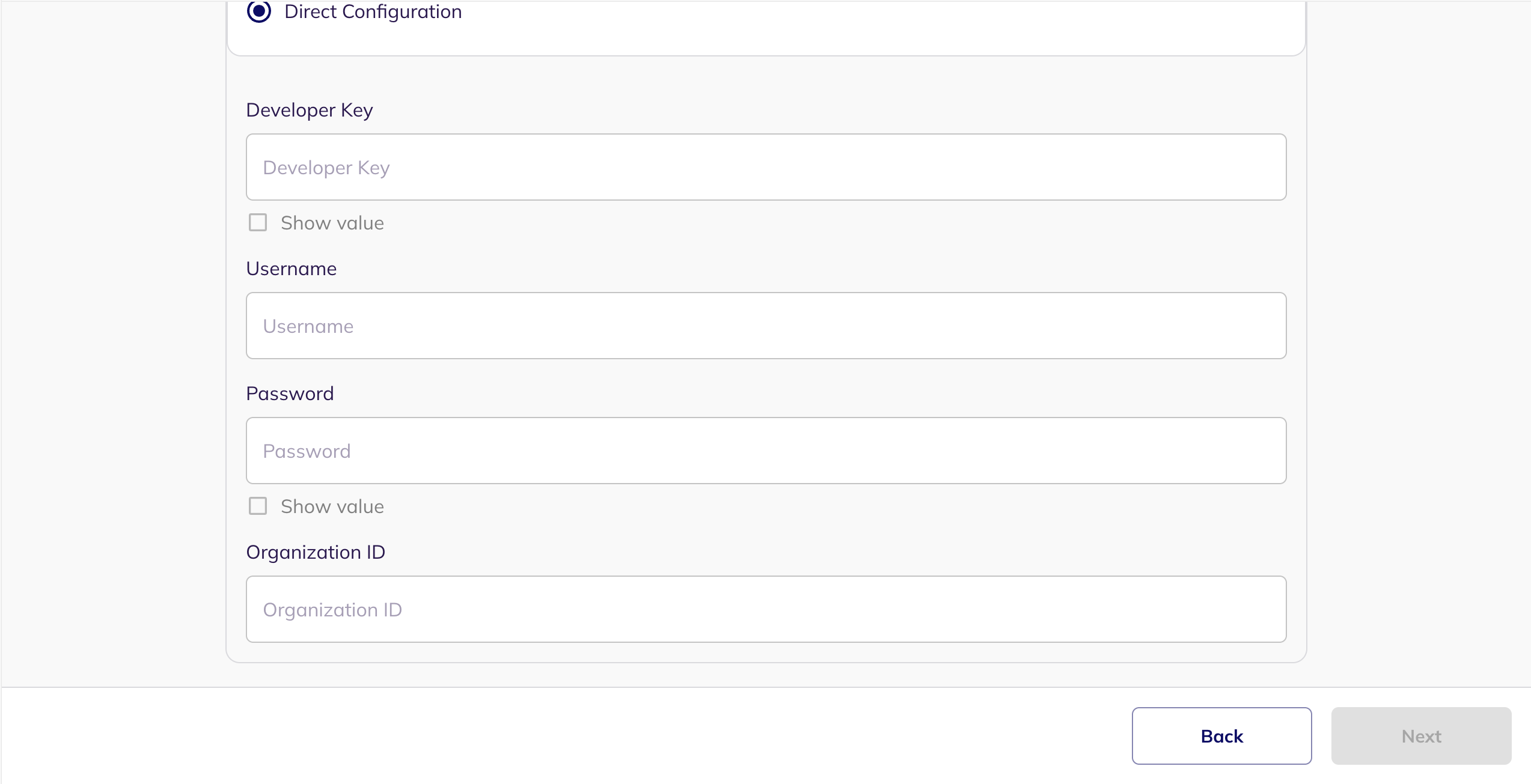
10. Under **Select Extraction Type**, choose **Direct Configuration** and enter your **Developer Key**, **Username**, **Password** and **Organization ID**, then click **Next**.
Direct Configuration
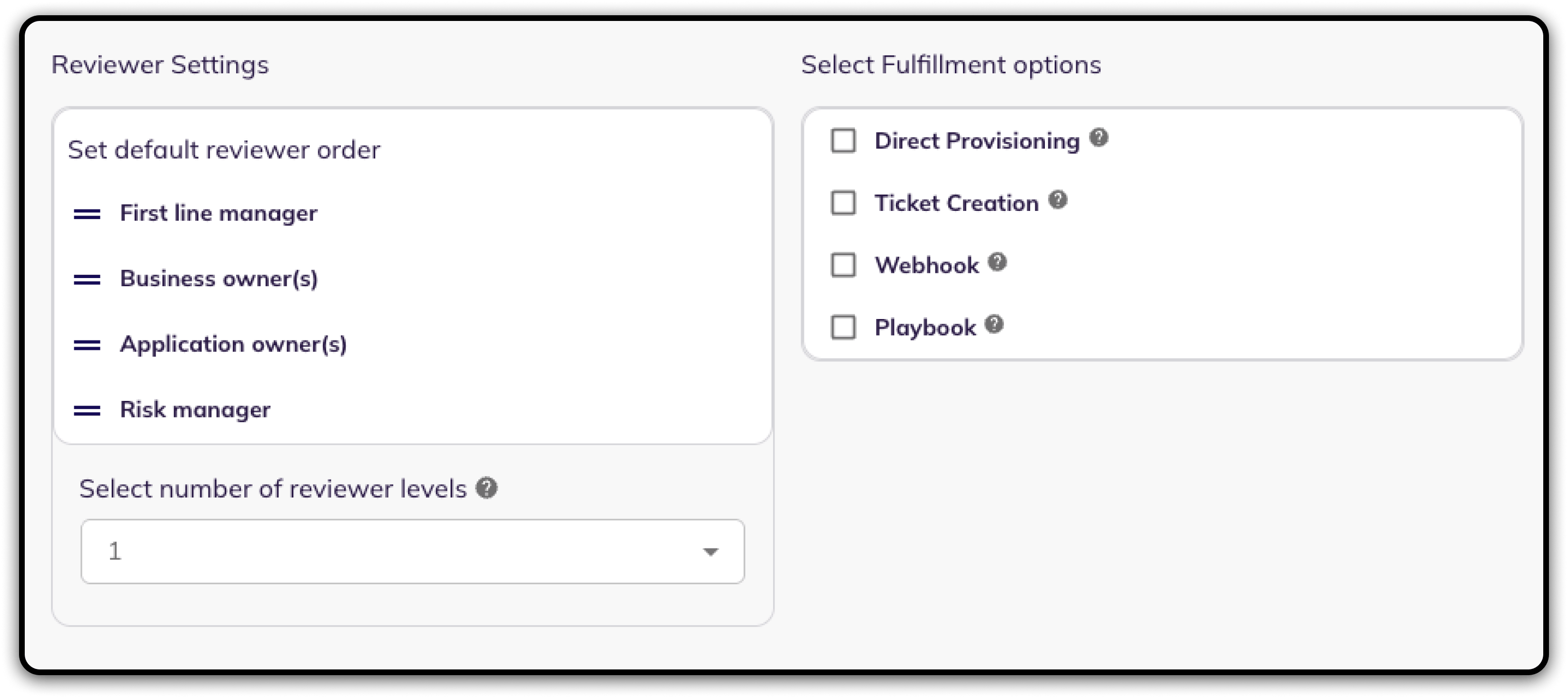
11. Fill **Optional Configuration**, if required.
Optional Configuration
12. Once you have filled in the information, click **Save**. Your integration is now configured and you will see the status of the integration displayed alongside other integrations on the Integrations page. When data is available, the integration Status column will read **Connected** and the integration Message will read **Data available**.
### What BalkanID syncs from BILL
| Data | Description |
| ----------------- | ------------------------------------------------------------------------------------------------------------------------------------------------------------------- |
| **Users** | Every user in the BILL organization, with their name, email address and account status. |
| **Roles** | The organization's user roles, including any custom roles, and the role each user is assigned. |
| **Bank accounts** | The organization's bank accounts and the users who can use them. Users are also included where an account grants access to everyone holding the Administrator role. |
| **Card accounts** | The organization's card accounts and the users who can use them. |
BalkanID never reads or stores bank account numbers or routing numbers.
---
# Agent Instructions
This documentation is published with GitBook. GitBook is the documentation platform designed so that both humans and AI agents can read, navigate, and reason over technical content effectively. Learn more at gitbook.com.
## Querying This Documentation
If you need additional information that is not directly available in this page, you can query the documentation dynamically by asking a question.
Perform an HTTP GET request on the current page URL with the `ask` query parameter, and the optional `goal` query parameter:
```
GET https://docs.balkan.id/getting-started/setting-up-your-tenant/application-integrations/direct-application-integrations/bill-integration-setup.md?ask=&goal=
```
`ask` is the immediate question: it should be specific, self-contained, and written in natural language.
`goal` is optional and describes the broader end goal you are ultimately trying to accomplish on behalf of the user. GitBook uses it to tailor the answer towards what is most useful for that goal.
The response will contain a direct answer to the question and relevant excerpts and sources from the documentation.
Use this mechanism when the answer is not explicitly present in the current page, you need clarification or additional context, or you want to retrieve related documentation sections.