# MariaDB Integration Setup
### Getting Started
BalkanID recommends creating a separate service account for the purposes of this integration, instead of using personal or employee named accounts.
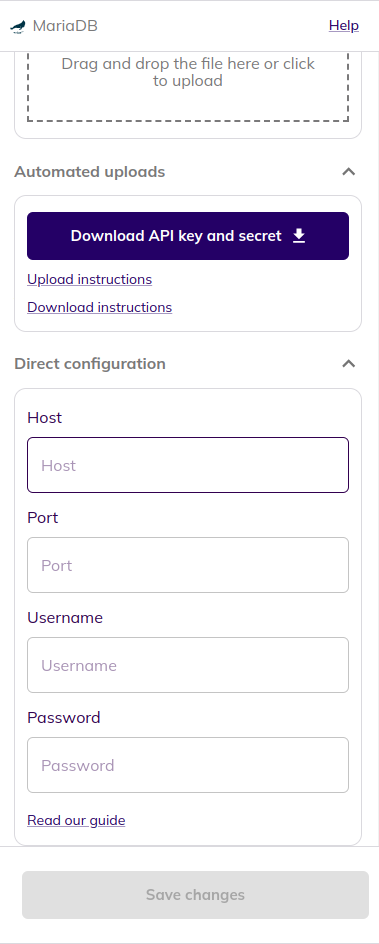
The following Fields are required
```
- `host`: Hostname or IP address of the MariaDB server
- `port`: Port number of the MariaDB server
- `username`: Username to connect to the MariaDB server (must have access to view users and their privileges)
- `password`: Password to connect to the MariaDB server
```
Make sure that the user provided has the permissions to read the mysql database. Given below is the command required to give adequate permissions to the user:
```jsx
GRANT SELECT ON mysql.* TO ;
```
### Configure MariaDB within your BalkanID tenant
1. Login to the BalkanID application and switch to the tenant you would like to add your integration to.
2. Head to *Integrations* > *Third Party Applications* and click **Add Integration**, select **MariaDB**. Set up the *Primary Application owner* and the *Description*, if any.
3. *MariaDB* would have been added to the list of applications. Click on the **Configure and Integrate** button beside the integration name, and configure the fields with the values that were noted prior. It should look like this:
4. Once you filled in the information, click **Save changes**. Your integration is now configured and you will see the status of the integration displayed alongside other integrations on the *Integrations* page. Integrations are synced daily. When data is available, the integration Status column will read **Connected** and the integration Message will read **Data available**.